In today’s connected world, the idea of building a home server has shifted from being a niche hobby for tech enthusiasts to a practical and rewarding project for many homeowners and professionals. Whether you’re looking to centralize your digital media, create a private cloud, or experiment with hosting websites and applications, a home server offers control, flexibility, and privacy that commercial cloud services often can’t match. While the concept might seem complex at first glance, breaking down the process into manageable steps reveals that anyone with curiosity and a bit of patience can successfully set up a home server tailored to their needs.
Starting with the basics, a home server is essentially a dedicated computer designed to provide data, services, or applications to other devices on your local network or over the internet. Unlike your everyday laptop or desktop, a server typically runs continuously and is optimized for reliability and accessibility. For beginners, understanding this fundamental distinction helps clarify the purpose and requirements of a home server. It’s not just about raw power but about stability, security, and ease of management.
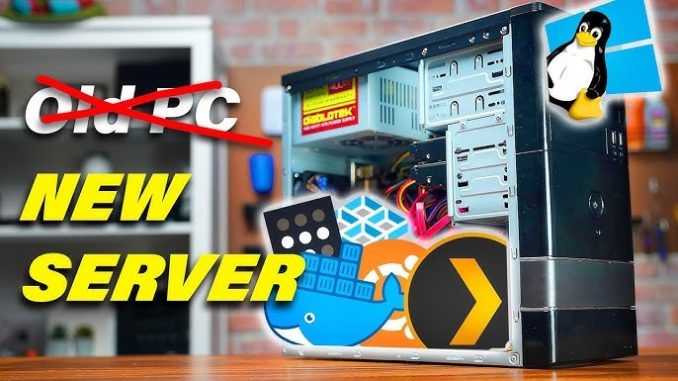
Choosing the right hardware is often the first major decision in the journey. Many people imagine expensive enterprise-grade machines, but in reality, a home server can be built from modest, cost-effective components. Some enthusiasts repurpose old desktop computers or laptops, while others opt for small, energy-efficient devices like the Intel NUC or Raspberry Pi, depending on their performance needs. For example, if your goal is to stream movies, back up family photos, or host a personal website, a modest setup with sufficient storage and a reliable network connection will usually suffice. On the other hand, more demanding tasks like running multiple virtual machines or heavy file transfers might call for a more powerful processor and additional memory.
Once the hardware is in place, the choice of operating system sets the foundation for how you will interact with your server. Popular options range from user-friendly solutions like Windows Server or macOS Server to open-source platforms such as various Linux distributions, including Ubuntu Server, Debian, or FreeNAS. The open-source route often appeals to beginners willing to invest time in learning, as it offers immense customization, community support, and no licensing fees. For instance, FreeNAS (now known as TrueNAS) is renowned for its robust storage management features and ease of use, making it a popular choice for home users focusing on file storage and media streaming.
Configuring your server’s storage is a critical consideration that impacts data safety and accessibility. Many home servers employ RAID (Redundant Array of Independent Disks) setups to protect against hardware failures by distributing data across multiple drives. While RAID is not a substitute for regular backups, it offers peace of mind by reducing the risk of losing data due to a single drive failure. A beginner might start with a simple mirrored RAID configuration (RAID 1) that duplicates data on two drives, ensuring that if one drive fails, the other retains all information. Over time, as familiarity grows, more complex setups can be explored to balance capacity, speed, and redundancy.
Networking is another crucial aspect of building a home server. For it to be truly effective, the server must communicate reliably with other devices on your home network and possibly beyond. A wired Ethernet connection is generally preferred over Wi-Fi for its stability and speed, especially when streaming high-definition content or transferring large files. Additionally, setting up remote access enables you to reach your server’s content and services from anywhere, but it also introduces security considerations. Using a Virtual Private Network (VPN) or secure protocols like SSH (Secure Shell) can protect your server from unauthorized access, preserving your privacy and data integrity.
Beyond the technical setup, the value of a home server truly shines in the applications it supports. For many, media streaming services like Plex or Emby transform a simple storage box into a personalized entertainment hub, accessible on TVs, smartphones, or tablets. Others leverage their servers to create private cloud storage using tools like Nextcloud, eliminating reliance on third-party providers for sensitive files. For budding developers or small business owners, a home server can host websites, databases, or development environments, offering a controlled and cost-effective alternative to external hosting services.
It’s important to recognize that managing a home server is an ongoing commitment. Regular updates to the operating system and installed software are vital to patch security vulnerabilities and improve performance. Routine backups and monitoring disk health help prevent data loss and system downtime. Fortunately, many modern server operating systems include tools and dashboards designed to simplify these tasks for beginners. For example, graphical interfaces in TrueNAS or Windows Server can guide users through system maintenance without requiring command-line expertise.
Building a home server also offers intangible benefits that extend beyond convenience. It cultivates a deeper understanding of networking, storage, and system administration—skills increasingly relevant in today’s digital economy. For families, it can enhance digital literacy and foster collaboration by centralizing shared resources like photos, documents, and media. For entrepreneurs, it presents an opportunity to experiment with IT infrastructure without significant upfront costs or vendor lock-in. Even hobbyists enjoy the creative challenge of tailoring a system to their specific needs and learning new technologies along the way.
In conclusion, building a home server is an achievable and rewarding project that demystifies the world of personal computing and network management. While initial decisions around hardware, operating systems, and networking may seem overwhelming, the process becomes manageable when approached step-by-step with clear goals. From creating a secure backup repository to establishing a custom media center or hosting personal websites, a home server empowers users to reclaim control over their digital lives. For anyone curious about technology and eager to expand their capabilities, setting up a home server is not only practical but also a meaningful step toward greater digital independence.